

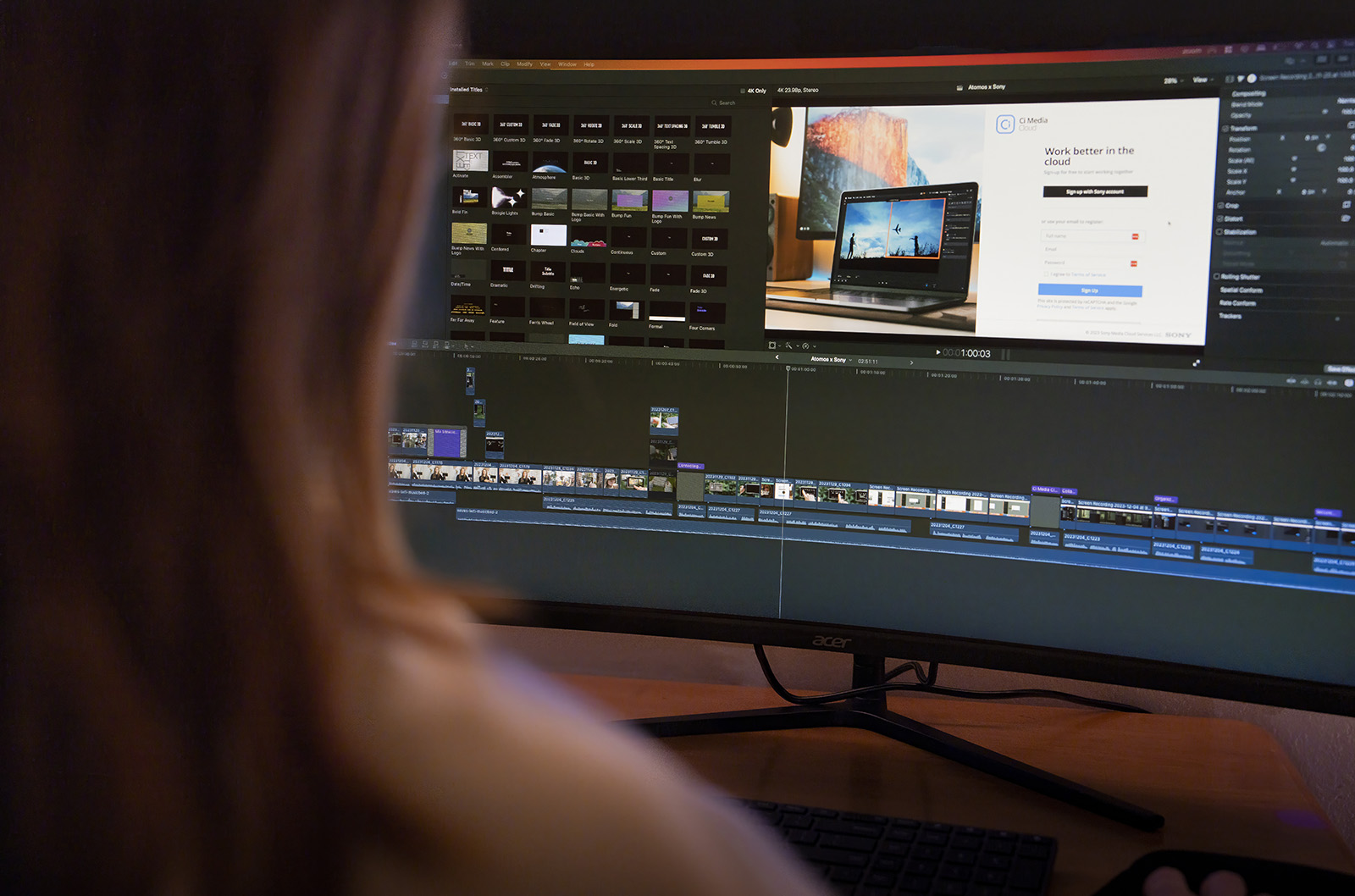

In video production, using the right software can make or break your workflow. From organizing raw footage to delivering a polished final product, each stage requires specialized tools to ensure efficiency and quality.
Having the right tools, such as video editing software, streamlines your process and enhances collaboration and creativity, ultimately leading to outstanding video content.
Essential Software by Workflow Stage
Creating a compelling video involves multiple stages that require its own set of tools. Whether you’re managing assets, capturing footage, or editing clips, having the right software for each step is crucial.
Here are the essential software by workflow stage:
Asset Management
The first step in any video production workflow is organizing your assets. This is where Ci Media Cloud proves to be helpful. As a centralized cloud storage solution, it allows you to store all your media assets in one secure, accessible location.
Whether you’re working solo or collaborating with a team across the globe, Ci Media Cloud facilitates remote collaboration, enabling you to review, edit, and share video files seamlessly. Its automated workflows for tasks like transcoding and secure video file sharing save you time, while robust security features ensure your valuable media assets are always protected.
The ease of sharing and annotating files means that feedback loops are shorter, and projects can progress smoothly without the typical bottlenecks. Imagine having all your footage, audio files, and graphics organized and ready for editing without the hassle of searching through multiple hard drives or cloud accounts. This level of efficiency and security is why Ci Media Cloud is an indispensable part of any video production toolkit.
Pre-Production
Before you start filming, solid planning is crucial. Whether you’re doing a content repurposing strategy or want to create fresh content, you always need a plan. Pre-production software helps you get everything in order. Popular tools include:
- Final Draft for scriptwriting, offering industry-standard formatting and powerful story development tools. With features like real-time collaboration, it’s perfect for teams working together from different locations.
- Storyboarder for creating detailed storyboards, allowing you to visualize your project before filming. This tool helps you map out every shot, ensuring that your filming process is efficient and that you capture all the necessary footage.
- Trello for project management, enabling you to keep track of tasks, deadlines, and team collaboration in an intuitive, card-based interface. Trello’s visual boards make it easy to manage complex projects, track progress, and ensure that nothing falls through the cracks.1
Using these tools in pre-production sets a solid foundation for the rest of your workflow, ensuring that every detail is planned and every team member knows their role.
Production
When it’s time to film, the right tools can enhance your production quality. Depending on your project needs, you might use:
- Adobe Premiere Pro for capturing footage directly from your camera, ensuring seamless integration with the editing process. Premiere Pro’s compatibility with a wide range of cameras and formats makes it a versatile choice for filmmakers.
- Blackmagic Design’s DaVinci Resolve for on-set color correction, allowing you to make adjustments in real-time. This ensures that your footage looks its best from the moment it’s captured, reducing the need for extensive color grading in post-production.
- Atomos Ninja V for external recording, providing high-quality 4K HDR recording directly from your camera’s sensor. This device not only improves the quality of your footage but also offers features like instant playback and on-the-go editing capabilities.
Having the right production tools ensures that you capture high-quality footage and audio to set you up for a smoother editing process.
Editing
Once you’ve captured your footage, editing is where the magic happens to your video creation. The choice of video editing software depends on your needs and preferences. Here are some of the best video editing apps that you can use:
- Adobe Premiere Pro: A powerhouse in the industry, Premiere Pro offers a range of advanced features, such as multicam editing, color correction, and integration with Adobe Creative Cloud for seamless workflows. The Premiere elements, extensive plugin support, and regular updates keep it at the forefront of video editing technology.2
- DaVinci Resolve Studio: Combining professional non-linear video editing with advanced color correction tools, DaVinci Resolve Studio is a favorite among editors for its powerful capabilities. Its free version offers many features, making it accessible for beginners, while the Studio version provides advanced tools for professionals.
- Avid Media Composer: Known for its robustness in handling large projects, Media Composer is favored by professionals working on feature films and television. Its advanced media management and powerful editing tools make it a top choice for complex editing projects.
- Wondershare Filmora: Ideal for beginners, Filmora offers an intuitive interface and a range of editing tools to create engaging videos without a steep learning curve. Its drag-and-drop functionality and pre-made templates make it easy to produce high-quality videos quickly.
- Movavi Video Editor: Another excellent option for those new to video editing, Movavi provides a user-friendly interface and a variety of features to help you create stunning videos. Its built-in effects and easy-to-use tools make it perfect for creating content for social media or YouTube.
These editing tools offer a range of functionalities, from basic editing to advanced features like multicam editing and color correction. You can also use a video clipping tool to create video snippets and social media posts.
Post-Production
After editing, the final touches bring your engaging videos to life. Essential post-production tools include:
- Adobe After Effects for motion graphics and visual effects, allowing you to add stunning animations and effects to your videos. Its integration with Premiere Pro makes it easy to move projects between the two programs.
- Pro Tools for audio editing, offering professional-grade tools for sound design and mixing. High-quality audio is crucial for any video project, and Pro Tools provides the tools needed to ensure your sound is as polished as your visuals.
- HandBrake for final rendering and compression, ensuring your video is in the proper format for distribution. HandBrake’s ability to convert videos into various formats makes it an essential tool for ensuring your content is compatible with different platforms.
Conclusion
Choosing the right software tools for your video editing workflow is vital for producing high-quality content efficiently. From asset management with Ci Media Cloud to powerful editing tools like Adobe Premiere Pro and DaVinci Resolve Studio, each software plays a crucial role in the production process. By investing in the right tools, you can streamline your workflow, enhance collaboration, and create compelling videos that captivate your audience.
Ready to elevate your video production game? Start with Ci Media Cloud for seamless asset management and collaboration. Visit Ci Media Cloud today and see how our platform can transform your workflow and boost your productivity.
Sources:
- Project Managers.net. What is Trello? Features, Pricing, Integrations & More. https://projectmanagers.net/what-is-trello/
- TEC. Adobe Premiere Pro: Powerful Video Editing Software. https://www3.technologyevaluation.com/solutions/54013/adobe-premiere-pro